
How We Use AI in Video Production and Editing (The Real Workflow Behind Our Client Work)
How We Use AI in Video Production and Editing (The Real Workflow Behind Our Client Work)
AI is now part of almost every video we make, and it is earning real results for real brands. One of our first paid AI projects, a holiday social ad for Victoria Gourmet Foods, returned 34 to 1 on the client’s spend compared with the year before.
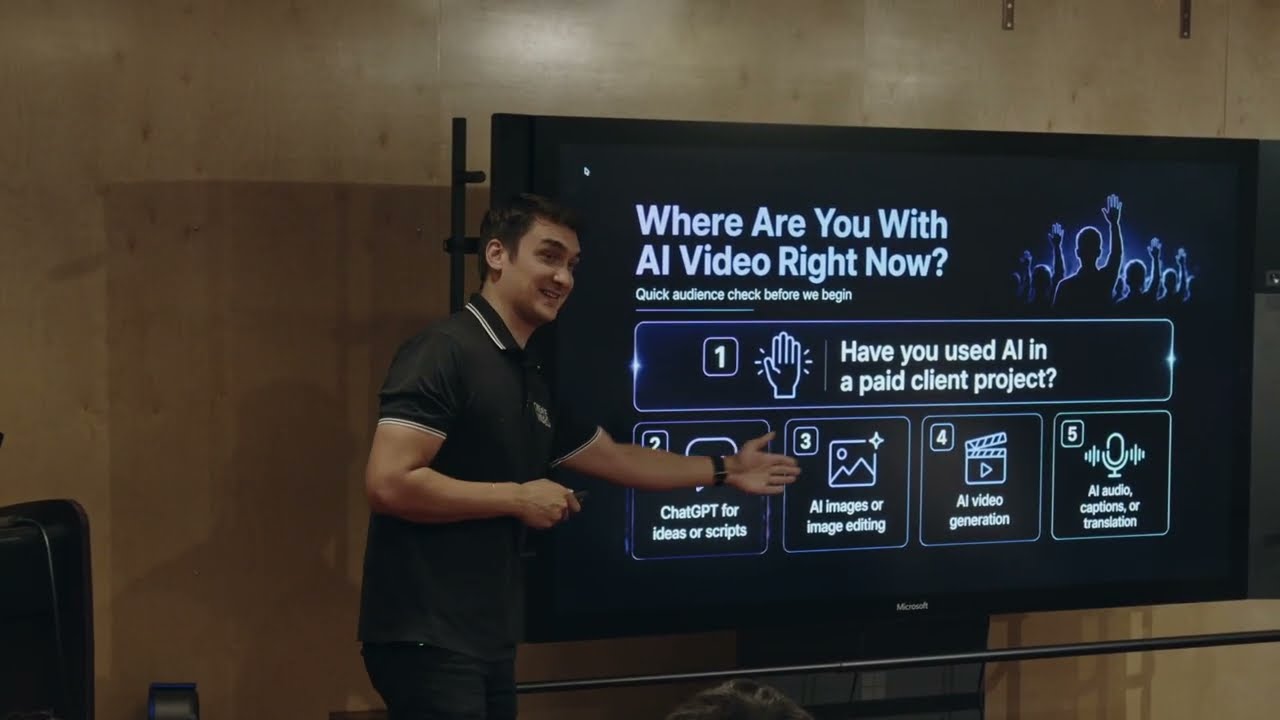
We recently walked a room of marketers and business owners in Victoria through our full AI workflow. When we asked who had used AI on a paid project, only a few hands went up. So here is the same walkthrough in writing: the tools we actually use, where they save time and money, and where they still fall short.
This blog is about how AI fits into paid productions for brands, from the first idea to final delivery.
Watch Our AI in Video Production Master Class
1. Concepting: Three Ways AI Shapes the Idea
The biggest impact AI has had on our business in the last 18 months is not the flashy video. It is how we come up with ideas and test them before a camera ever rolls.
Trend mining with an AI agent
If you produce a lot of social content, you cannot make every video from a blank page. You need to know which hooks are working right now. So we built an AI agent that scrapes TikTok and Instagram and breaks down what makes top videos perform.
The stack is simpler than it sounds:
- Airtable is where you submit a search and where the results land
- n8n is the automation engine that connects everything
- Apify does the scraping, with ready-made Instagram and TikTok scrapers (no coding needed)
- An AI model (OpenAI, Claude or similar) analyzes each video
For every video, you get back the transcript, a virality score, the hook, the key problems and desired outcomes it speaks to, and the exact moments that drive people to buy. Setup takes a few hours and roughly $200, then about $200 a month and up to run, depending on volume. If you sell anything online, this one tool can change how you plan content.
Creative expansion
When you already have an idea, AI helps you build it out. We often just open ChatGPT’s voice mode and talk through a concept out loud. Then we ask it to organize everything into a script table: the business purpose of each scene, the dialogue, the visuals and the audio.
From there, we drop the script into Google Gemini and ask it to generate storyboards for every scene in a grid. Many clients would rather see a video than read a script, and these storyboards land every time. We recently used this for a Victory Range Hoods product video and a Francis Jewellers commercial. We used to pay an illustrator around $1,000 for storyboards. Now that step takes minutes.
Idea validation
Not sure an idea will work? Test it before it reaches the client. Tools like Motion, TokSignal and TrendTik analyze a concept, or even a rough storyboard ad, and score the hook strength, pacing, audience fit and viral potential. Some larger brands already run these checks internally before they approve a budget, so walking in with the data is a real advantage.
2. AI Image Creation and Editing
Most AI video starts as an image, so getting the still frame right matters more than anything else. Our two main tools are ChatGPT and Adobe Photoshop. We tested Grok and Gemini for image editing, but the results were either too low quality or drifted too far from what we asked for.
What we use ChatGPT for:
- Clearing many objects at once, like emptying an entire shelf
- Changing objects, like turning a black car silver
- Grid-style storyboards
- Quick concept art to see if an idea will work
One tip: always end your prompt with “change nothing else.” Without it, the AI tends to tweak things you wanted left alone.
For a real estate developer, we took a photo of a finished home and had AI rebuild it as a half-built construction site. That became the first frame of a drone shot that shows the house being built as the camera descends.
What we use Photoshop for:
- Generative Upscaling (we use the Topaz Gigapixel model). AI images rarely come out at true 4K, so everything we generate gets upscaled before it goes near a timeline.
- Generative Fill. Shot a house but need a wide view of the whole street? Expand the canvas and let it fill in the neighbourhood.
- Generative Remove. Boxes, hoses and clutter that used to take hours to paint out now disappear with one selection. This alone has been one of the biggest time savers in our post-production.
3. Image-to-Video and Video-to-Video Editing
Kling AI 3.0: our go-to
There are plenty of video models out there (Google Veo, Runway, Seedance), but Kling is the one we reach for first. Kling 3.0 puts everything we need in one place:
- First frame and last frame control. Think of them as keyframes. You give the AI a start and an end, describe the move, and it fills in everything between.
- Multimodal inputs. Text, images, video and audio all in one prompt.
- Video-to-video editing. Swap a shirt on a moving person, and it tracks the wrinkles, even on low-resolution footage.
- Motion control. It copies body movement, facial expression and even camera movement from one clip onto another, with no tracking markers.
- Native 4K output. This is the big one. Upscaled AI faces used to come out soft and slightly off, which made them unusable for premium clients. Native 4K fixes that.
A real example: on a Victory Range Hoods shoot, the on-camera film peel never looked smooth, even after several takes. We gave Kling the first and last frame and asked it to “have her smoothly peel the film off.” The result is seamless, and no viewer would know.
Another: for Coal Harbour Law, we combined a ChatGPT image edit, Kling Motion Control and the ElevenLabs Voice Changer to turn a business consultation into an alien “hostile takeover.” The ad went viral on LinkedIn, which is exactly where their business clients are.
The trade-off is cost and consistency. Every generation costs money, and it can feel like pulling a slot machine. We usually need two or three tries to nail a first-and-last-frame shot.
ComfyUI: every model in one place
ComfyUI is a node-based app that gives us access to nearly every major model (Veo, Kling, Seedance, Runway and more) without juggling separate accounts or API keys. You connect nodes like a flowchart: inputs, prompts, negative prompts and output. There is a learning curve, but once it clicks, it is fast. Expect to spend real money on generations, though the markup is small.
Agentic video creation: not ready yet
We tested Inworld AI by dropping in a simple script and letting an AI agent build the entire video. It took about an hour and cost around $70. It got the narration style and the subtitles right, but the visuals glitched and it missed the creative vision. It is useful as a rough proof of concept, not a client deliverable.
Avatar videos: useful, but not for your brand
Tools like Synthesia create presenter videos with AI avatars, no camera required. They can feel uncanny, so we would not use them in a brand video. Where they do make sense is internal training and communication, where a video beats a page of text.
4. AI VFX on Real Footage
AI VFX lets us add effects to live action that used to need green screens, CGI and a much bigger budget. The popular tools are Runway, Pika, Kling, Veo, Luma and Higgsfield.
Higgsfield works like a drag-and-drop effects library: pick a flash flood or racing clouds, drop in your photo, done. We have used its flash flood effect in a real estate reel to stop the scroll. For more control, we stick with first-and-last-frame tools like Kling. That is how we added the fireworks and the products filling the shelves in the Victoria Gourmet Foods holiday ad.
Practical ways brands can use it today:
- Add extra sparkle to jewellery in a store commercial
- Change a car’s colour, photorealistically
- Show a home being built from the ground up for a developer
That build shot cost roughly $5 in Kling generations plus a ChatGPT image edit, and took three or four attempts. Compare that with hiring a 3D animator. For a corner store, effects like these would simply not exist without AI.
A word on audience reaction
Our Easter follow-up for Victoria Gourmet Foods, where rabbits migrate across the city to the store, used the full AI workflow. It hit 20,000 views in a day on Instagram. About 15% of comments were anti-AI, but the other 85% loved it, and customers mentioned it in store. Our takeaway: AI is a powerful tool, but how heavily you lean on it is a brand decision worth discussing up front.
5. AI Audio: The Biggest Game Changer
Audio is where AI has changed our work the most. It has saved clients a minimum of $500 to $800 per video on voiceover alone.
Adobe Podcast is a free, web-based audio cleanup tool. Drag in your file, move a few sliders, and it strips out background noise and music. More impressive, it removes echo, something that was close to impossible before. We tested it on a voice memo recorded on a busy Vancouver street corner with a bus driving past, and it came back sounding like a studio.
ElevenLabs handles our AI voiceovers. For a Ritz-Carlton Residences video in Muskoka, the client loved a calm, meditative voice but needed the video under five minutes. In ElevenLabs, direction is given line by line, so we tagged each line to read faster while keeping the tone. ElevenLabs also offers voice changing and a growing library of licensed celebrity voices.
6. Final Delivery: Captions, Dubbing and Upscaling
- Captions. Instagram’s Edits app (or CapCut) auto-transcribes, lets you fix spelling, offers multiple caption styles and exports with no quality loss. Honestly, it is faster than doing captions in Premiere or After Effects.
- Lip sync and dubbing. HeyGen translates speech into another language and matches the speaker’s lips, even giving different speakers distinct voices. It is excellent for podcasts and interviews. It still struggles when something passes in front of the speaker’s face.
- Upscaling and frame rate. Topaz Video (now owned by Adobe) upscales footage and can even convert a clip shot at 24 frames per second to 60 for smooth slow motion. Our pick for all-around upscaling is the Artemis model.
Topaz has also opened up something new for us: restoring our back catalogue. After 16 years and more than 4,000 projects, we are upscaling older videos and using Adobe Podcast to strip out dated music so we can add something current. Videos from a decade ago now look like they were made this year.
7. AI on Set: Smarter Production Tools
AI is not only in the edit. It is changing the gear we bring to every shoot.
- AI gimbals like the DJI RS 5 track a subject automatically. It works like an extra camera operator at events for around $800, though it can lose a subject when someone walks in front.
- AI drones like the DJI Mini 5 Pro have automated cinematic flight modes, like MasterShots, that capture a dozen or more sweeping shots with no pilot input, plus obstacle avoidance. (It is good, not perfect. Do not rely on it for everything.)
- AI autofocus in modern Sony, Canon and DJI cameras locks onto eyes and faces, so we get shallow-depth shots without a dedicated focus puller.
- AI teleprompters like Textream scroll by listening to your voice. We used to pay around $500 for a teleprompter operator. We used it on a recent CIBC commercial.
8. What’s Next: AI Editing Assistants
The next big shift is a chatbot built right into the editing software. BuzzRolls and Adobe Premiere’s AI Assistant are both moving this way, with Eddie AI and Descript Underlord close behind.
Imagine filming a baking video and simply telling your editor, “put these clips in the order the cake gets made.” The AI works out that handwashing comes first, then cracking eggs, then the oven, then the finished cake, and builds a rough cut. That is possible today.
We already use a simpler version of this on interviews. We give Gemini the full transcript of a 20-minute interview, ask it for the strongest moments for the client’s business goal, then review and pull those clips ourselves. We recently cut a 20-minute interview for a Vancouver engineering firm down to two minutes this way.
These tools are best for repetitive tasks. Story judgment, taste and the final polish still come from a human editor.
AI Won’t Replace Creativity. It Amplifies It.
AI has replaced some jobs in our industry, like storyboard artists, voiceover talent and teleprompter operators. It has also made entire productions possible that never would have existed, like a local grocer running an ad with fireworks and a rabbit invasion.
The tools change every month, so staying current is part of the job. We keep a close eye on new models across Reddit, X and company blogs so our clients do not have to. But the fundamentals have not changed: a clear idea, good light, clean sound and a story that connects. AI helps us plan smarter, create faster and produce better, so we can spend more time on the story.
Thinking about how AI could stretch your next video budget? Create Video is a Vancouver video production company with 16 years of experience and more than 4,000 projects delivered. Let’s talk about what is possible for your brand.
Featured by SetHero as a top video production company in Vancouver.